Creating investment plan
Getting Started
To access the investment plan creator:
- Log into your RSM account
- Navigate to "Get started - self financed investment plan"
- Follow the four-step process outlined below
Investment Plan Creator - RSM
Overview
The self-financed investment plan feature helps users create personalized property investment strategies based on their financial goals and timeline. This guide explains how to use the investment plan form and understand the generated recommendations.
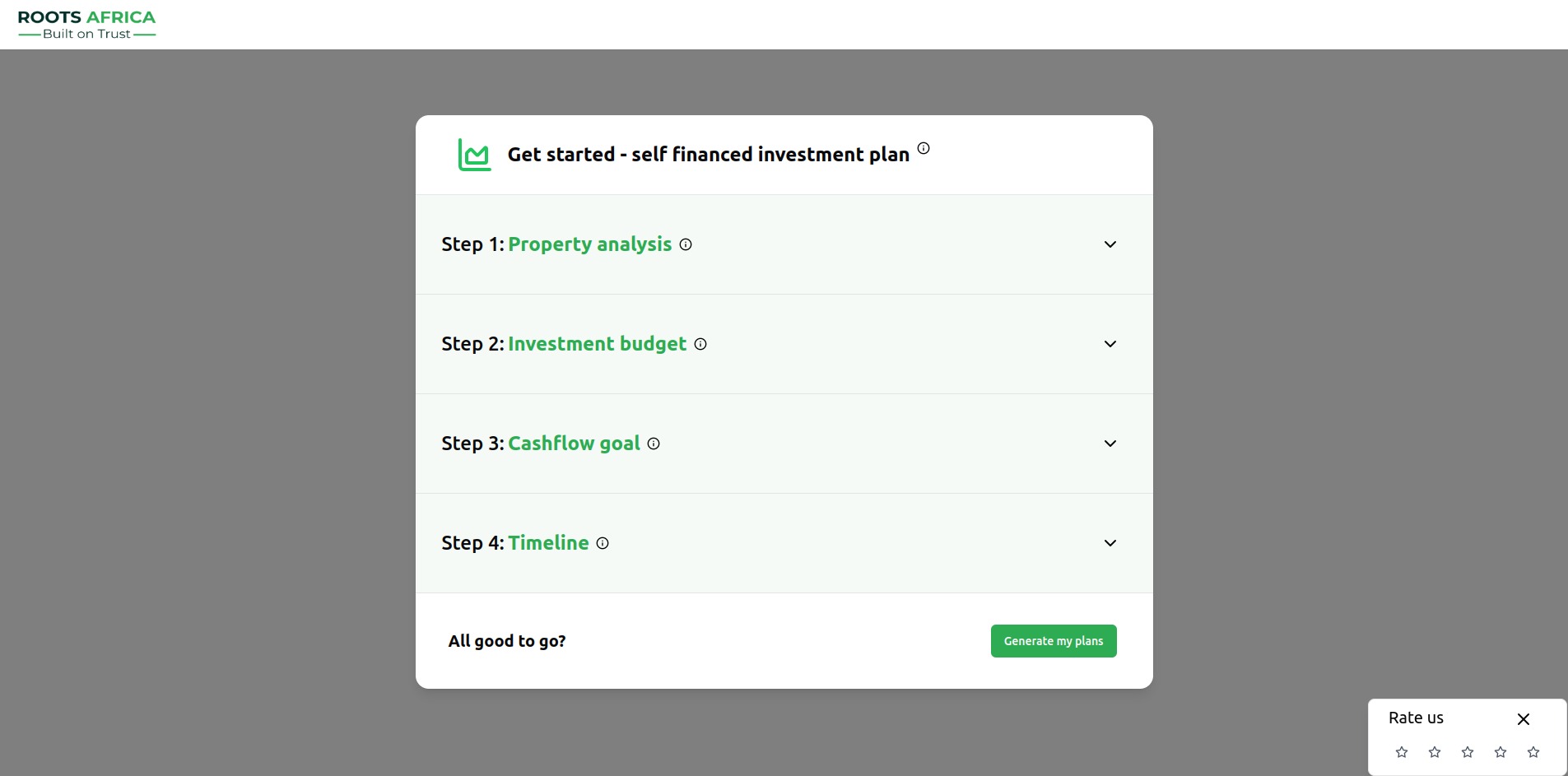
Investment Plan Form
The form consists of four main steps:
Step 1: Property Analysis
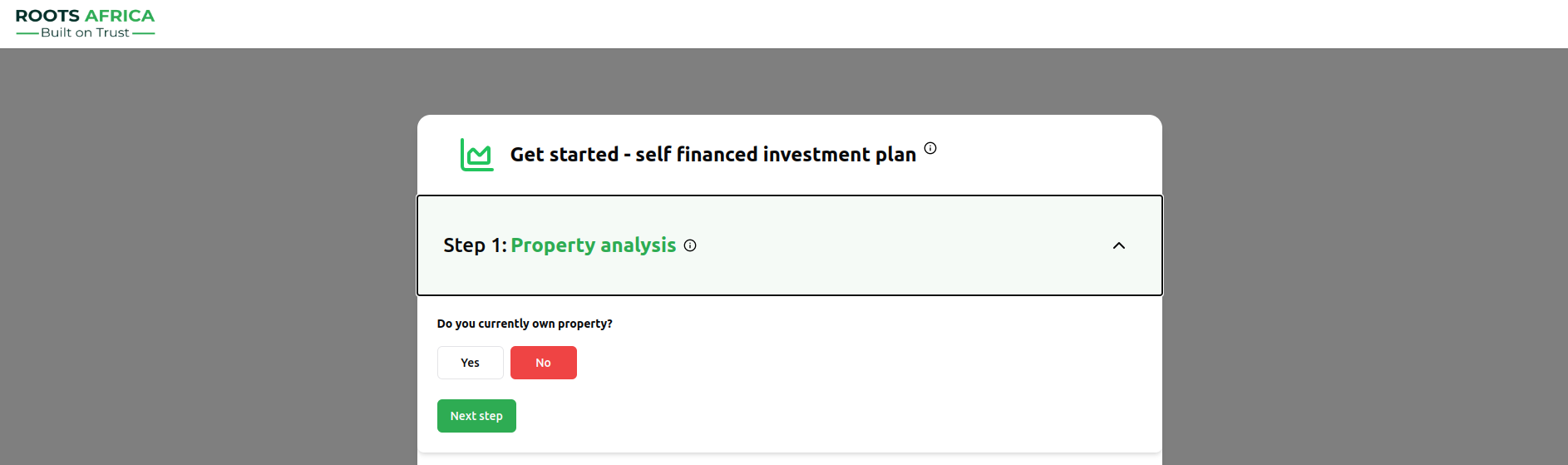
This step collects information about your current property portfolio:
- Current Property Ownership: Select whether you currently own any properties
- If yes, specify:
- Number of properties owned
- Details for each property:
- Property name
- Monthly rental income in USD
Step 2: Investment Budget
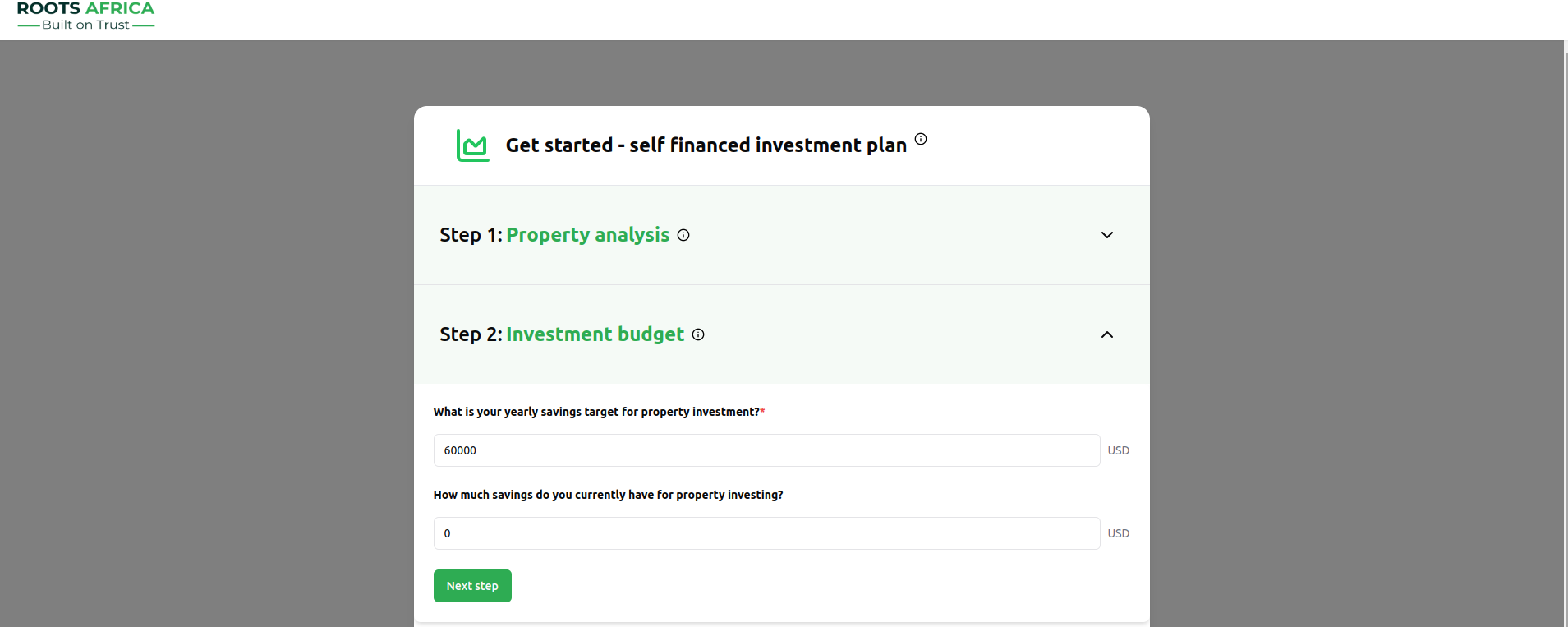
Define your investment capacity:
- Yearly Savings Target: Amount you can save annually for property investment
- Must be between $1,000 and $1,000,000
- Required field (marked with *)
- Current Savings: Existing savings for property investment
- Must be between $0 and $10,000,000
Step 3: Cashflow Goal
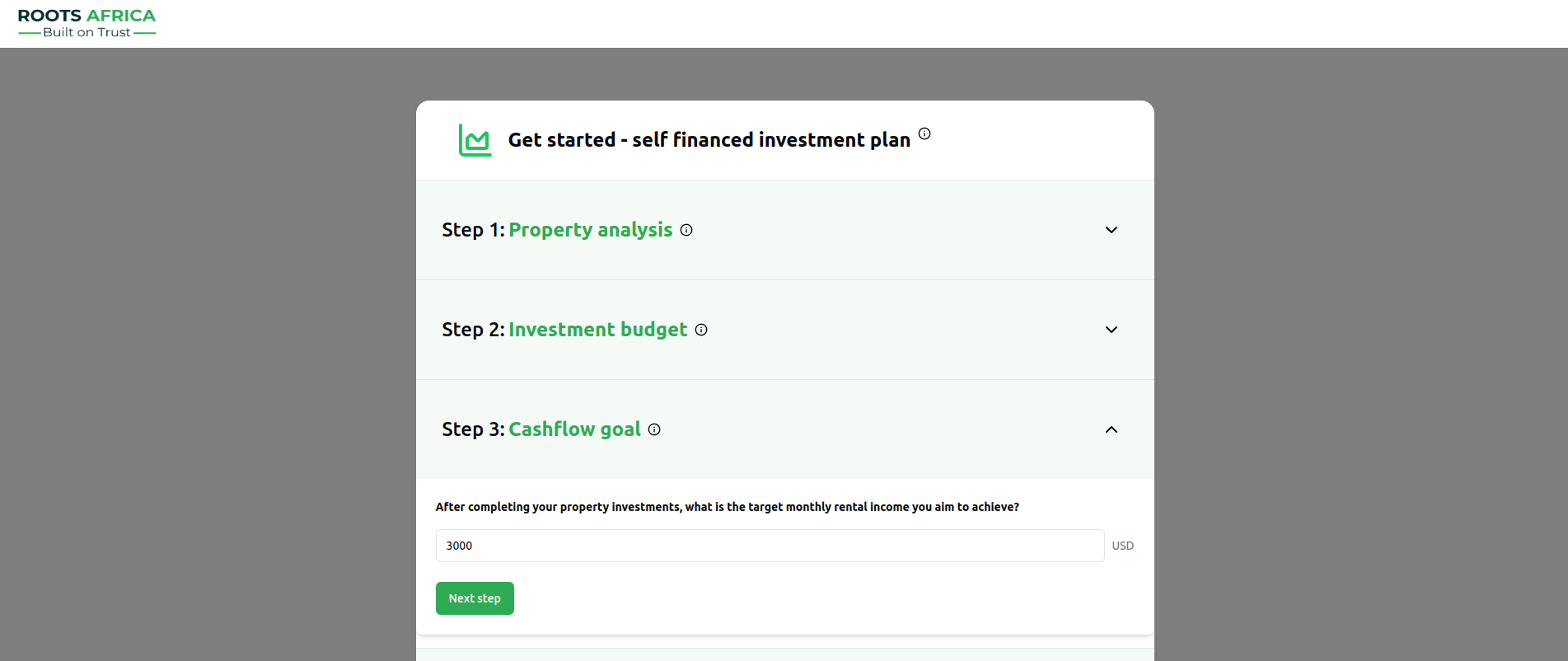
Set your target rental income:
- Target Monthly Rental Income: The monthly rental income you aim to achieve
- Must be between $100 and $1,000,000
- This helps determine the number of properties needed
Step 4: Timeline
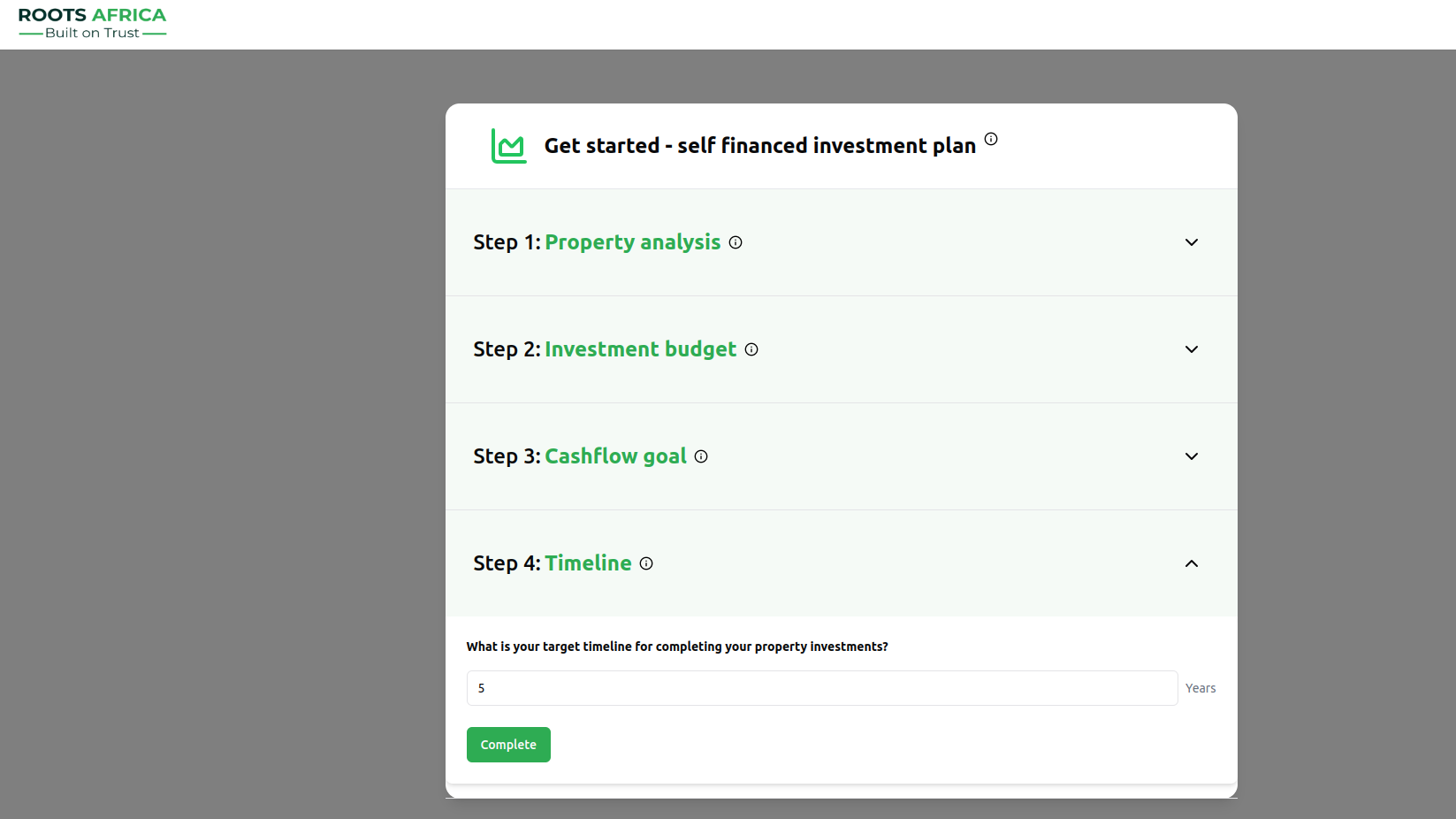
Specify your investment horizon:
- Target Timeline: Number of years to achieve your investment goals
- Must be a whole number between 1 and 30 years
Investment Calculations
The platform calculates two investment plans based on your inputs:
Calculation Factors
The system considers:
- Monthly savings (yearly savings ÷ 12)
- Property acquisition timeline
- Rental income generation
- Operating expenses (10% of rental income)
- Net cashflow
Generated Plans
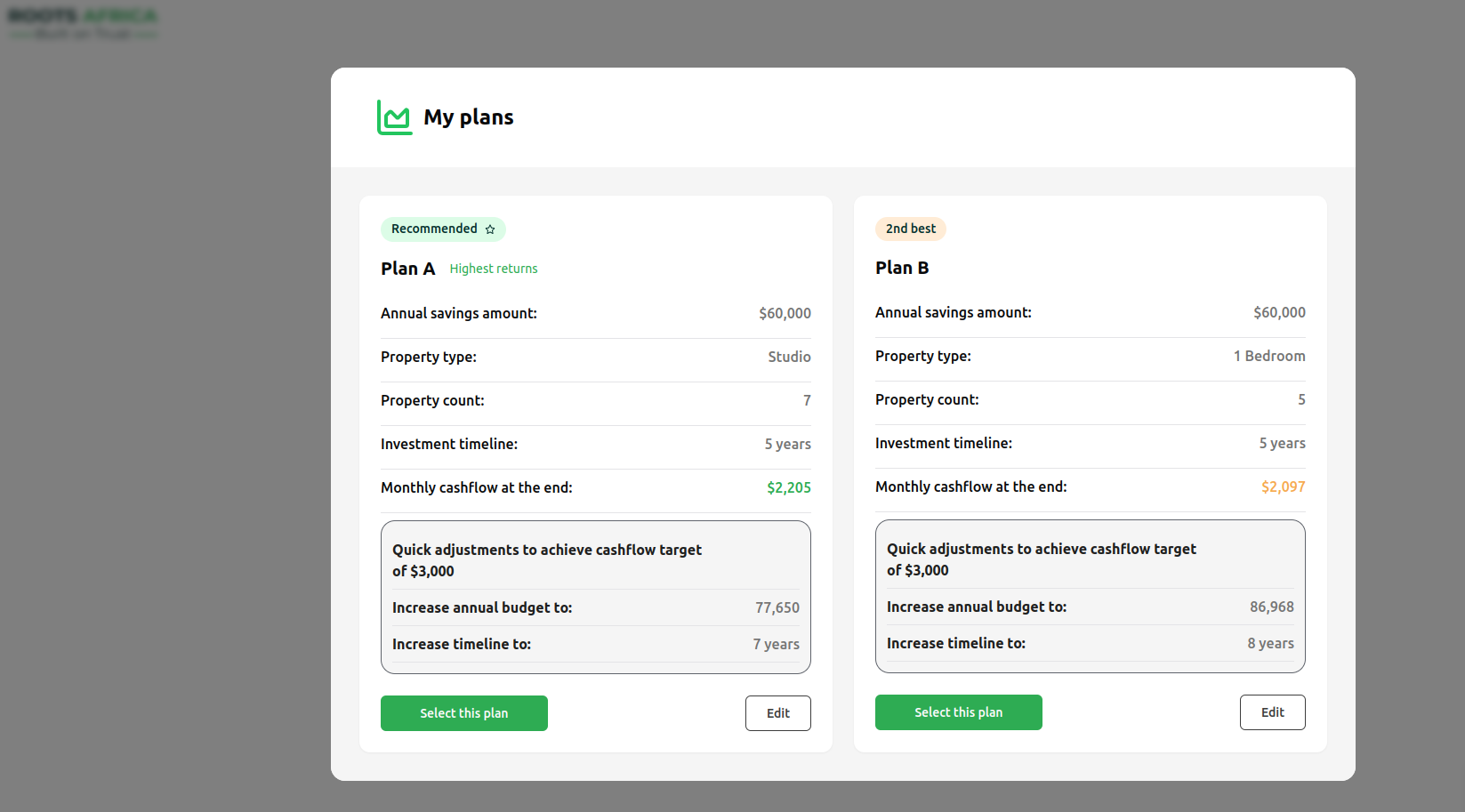
The system provides two plans:
- Recommended Plan (Plan A): Optimized for highest returns
- Alternative Plan (Plan B): Second-best option
Each plan shows:
- Annual savings amount
- Property type recommendation
- Number of properties to acquire
- Investment timeline
- Projected monthly cashflow
- Adjustments needed to reach higher cashflow targets
Understanding the Results
Plan Components
- Property Count: Number of properties you can acquire
- Monthly Cashflow: Net rental income after expenses
- Timeline: Years to complete the investment plan
- Quick Adjustments: Suggested changes to reach higher cashflow targets
Example Output
Tips for Success
- Be Realistic: Set savings targets you can consistently achieve
- Consider Flexibility: The system provides alternative plans for different property types
- Review Adjustments: Check suggested modifications to reach higher cashflow goals
- Monitor Progress: Track your savings and property acquisitions against the plan
- Update as Needed: Revise your plan if circumstances change
Technical Notes
- All monetary inputs must be in USD
- The system automatically validates input ranges
- Calculations include a 10% expense ratio for property management
- Property acquisition is simulated monthly based on available savings
- Rental income starts generating the month after property purchase
Next Steps
After generating your investment plan:
- Review both recommended plans
- Select the plan that best fits your goals
- Click "Select this plan" to proceed
- Use the "Edit" button to make adjustments if needed
For more detailed information about implementing your chosen plan or managing your properties, please refer to our other guides in the documentation.